UX best practices

The 5 New UX Best Practices: What Users Expect Without Saying It

UX best practices today are no longer just about making websites and apps look modern. Now, users expect digital experiences to feel effortless, intelligent, and emotionally comfortable from the very first interaction. In fact, most users will never say what they expect directly. However, they immediately notice when an experience feels confusing, slow, or overwhelming. That shift is changing how businesses approach website UX, mobile app design, and digital product development. Modern users now value clarity, trust, personalization, and simplicity more than flashy visuals or endless features.

1. Adaptive Interfaces That Learn User Behavior

One of the biggest UX best practices is adaptive design. Instead of forcing every user through the same experience, modern platforms now adjust content and interactions based on behavior, habits, and intent. This approach is rooted in user psychology. People naturally prefer systems that reduce effort and help them make faster decisions. Therefore, apps and websites that “learn” from users feel more intuitive and valuable over time.

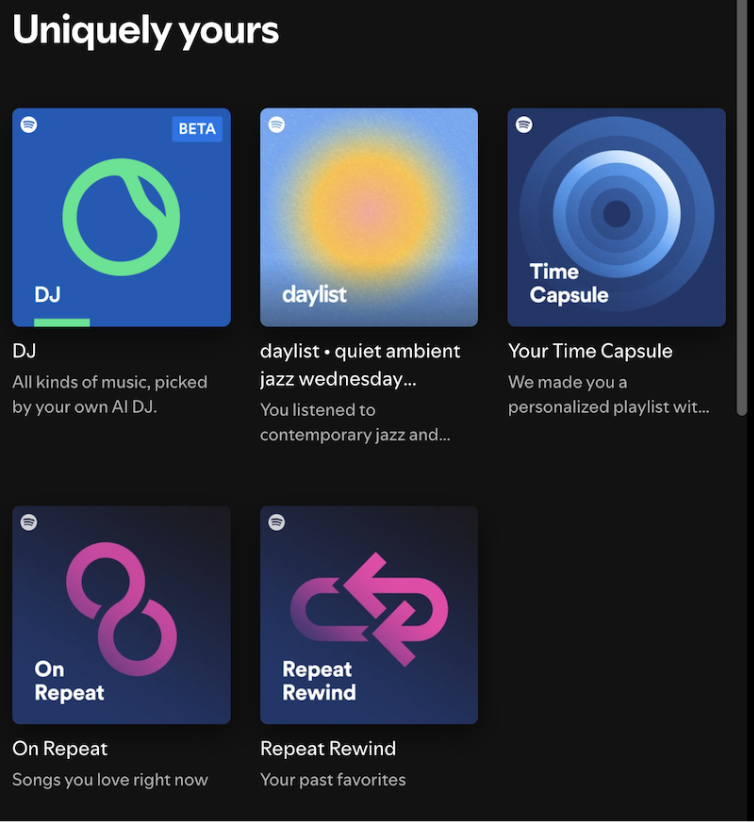
Example: Spotify

Spotify is one of the strongest examples of adaptive UX in modern app design. When users open the app, they do not see a generic dashboard. Instead, Spotify continuously reorganizes playlists, recommendations, and listening suggestions based on:
Listening history
Time of day
Mood patterns
Favorite genres
This creates a personalized experience without forcing users to search manually. From a UX design meaning perspective, this reduces cognitive effort while increasing emotional connection with the product.
UX best practices

2. Quiet UX That Reduces Mental Overload

For years, websites and apps competed for attention with pop-ups, notifications, animations, and feature-heavy dashboards. However, users are now experiencing serious digital fatigue.

That is why “Quiet UX” has become one of the most important UX best practices today.

Quiet UX focuses on:

  • Cleaner layouts
  • Fewer distractions
  • Simplified navigation
  • Lower cognitive load

This follows one of the most important UX laws: users should not have to think harder than necessary.

Example: Linear

Linear, the popular project management platform, is an excellent example of quiet UX.  Unlike cluttered productivity tools, Linear uses:
Minimal interface elements
Strong spacing
Keyboard-first navigation
Focused workflows
The platform avoids unnecessary visual noise. Consequently, users can complete tasks quickly without feeling overwhelmed. This design strategy works because the human brain processes simpler environments faster. Therefore, users feel calmer and more productive while using the platform.
UX best practices

3. Trust-Based AI Experiences

AI is now integrated into almost every digital product. Nevertheless, users are becoming increasingly cautious about how AI behaves inside apps and websites.

Modern users want AI tools that feel:

  • Transparent
  • Controllable
  • Trustworthy

This is one of the fastest-growing areas in UX design because trust has become a major usability factor.

Example: Google AI Overviews

Google’s AI Overviews are a strong example of trust-based AI UX. 

Instead of showing mysterious AI-generated answers with no explanation, Google includes: 

Visible source citations
Expandable references
Supporting links

This small UX decision changes how users perceive AI responses.

From a psychological perspective, users trust systems more when they can verify information themselves. That principle is deeply connected to modern design guidelines and ethical UX practices.

Google also avoids making AI interactions feel hidden or manipulative. Instead, the interface clearly communicates when AI-generated content is being used.

UX best practices

4. Accessibility Is Becoming a Standard, Not a Bonus

Accessibility is no longer optional in modern website UX and app design. Instead, it has become one of the core UX best practices for digital products.

Today’s users expect interfaces that work comfortably for everyone, including users with:

  • Visual impairments
  • Hearing challenges
  • Motor limitations
  • Cognitive differences
Interestingly, accessible design often improves usability for all users, not just people with disabilities.

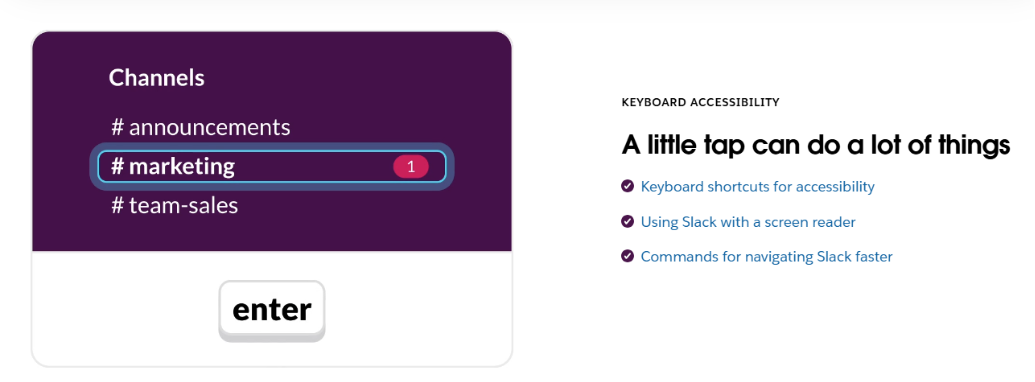
Example: Slack

Slack is one of the best examples of accessibility-focused UX. 

The platform includes:

Strong keyboard navigation
Readable typography
Screen-reader compatibility
Clear interface hierarchy
For example, users can navigate conversations, channels, and workflows almost entirely through keyboard shortcuts. This improves speed, accessibility, and overall usability at the same time. Slack also uses clear spacing and predictable layouts, making the platform easier to process visually. This aligns with the basics of UX design, where usability should always come before unnecessary complexity.
UX best practices

5. Realistic 3D Interfaces That Make Navigation More Intuitive

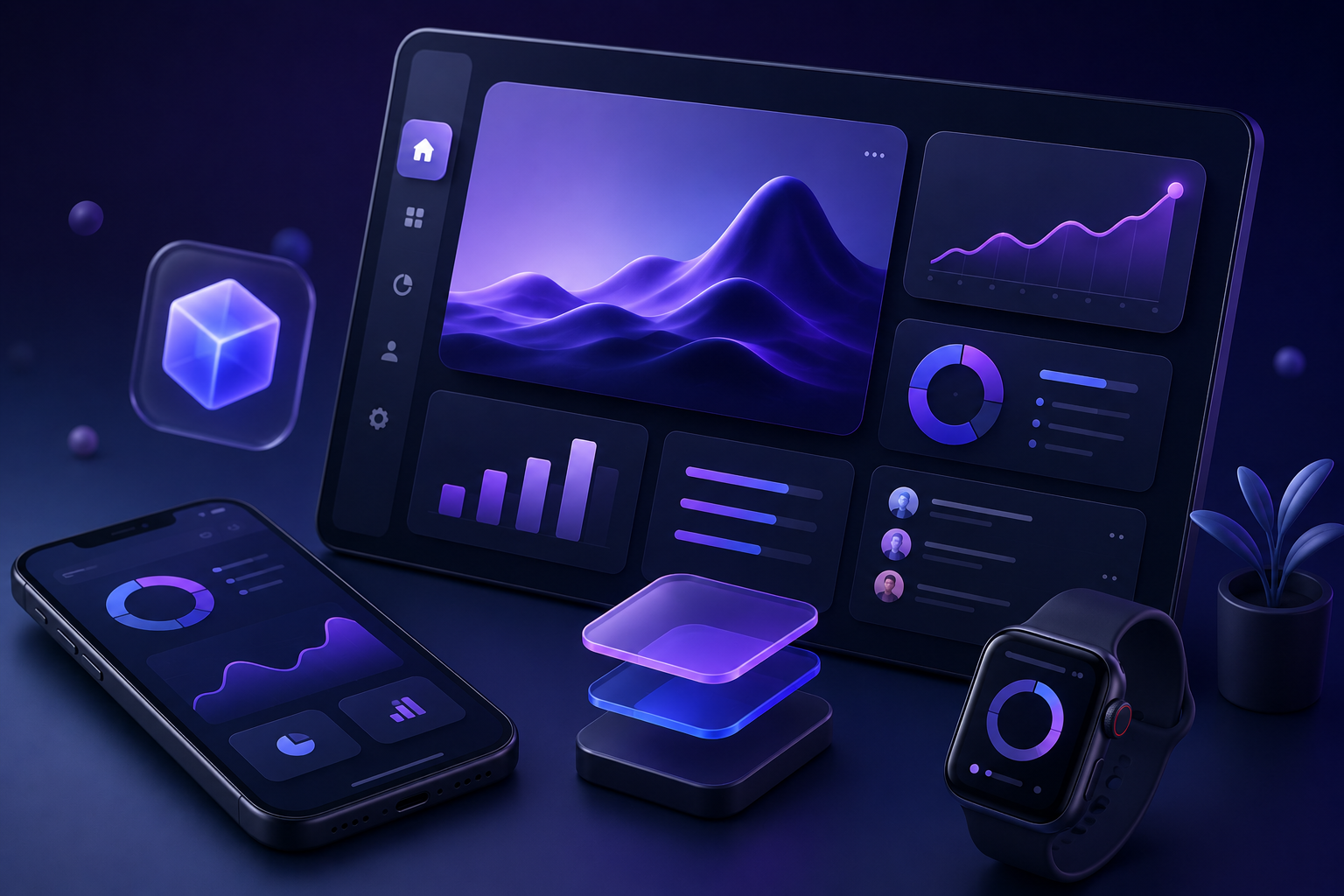
Modern UX is moving beyond flat design. Today, many websites and apps use realistic 3D elements, soft shadows, layered visuals, and subtle motion to create more interactive and natural experiences. This approach helps users understand actions faster and makes interfaces feel more responsive and engaging. Realistic 3D elements also improve visual clarity by making important actions easier to notice and interact with.

Example: Airbnb

Airbnb is a strong example of realistic 3D-inspired UX. The platform uses layered cards, soft shadows, smooth transitions, and responsive hover interactions to create a fluid browsing experience. 
For example, when users move their cursor to the search bar, it gently changes shade and highlights itself, signaling that it’s active and ready for input. Images and maps also update smoothly as users explore properties.
UX best practices

These small interactions make the interface feel more dynamic, responsive, and easy to navigate.

Takeaway

The biggest shift in modern UX is no longer visual, it is psychological. Today, users expect websites and apps to feel adaptive, calm, transparent, accessible, and intuitive without needing to think about it consciously. As digital behavior evolves, people naturally gravitate toward products that reduce effort, build trust, and create smoother experiences.  

Frequently Asked Questions (FAQs):

What are the best UX practices?
Modern UX best practices focus on personalization, accessibility, trust-based AI, cognitive simplicity, and intuitive interaction design.
How does user experience testing improve products?
User experience testing helps businesses identify usability problems, confusing workflows, and friction points before launch.
What is the difference between UI and UX?
The difference between UI and UX is that UI focuses on visual interface design, while UX focuses on the overall user experience and usability of a product.

SHARE ME!

MORE ARTICLES

Create Digital Experiences That Feel Effortless

Build intuitive, future-ready websites and apps with DevDefy